



1. Product Description
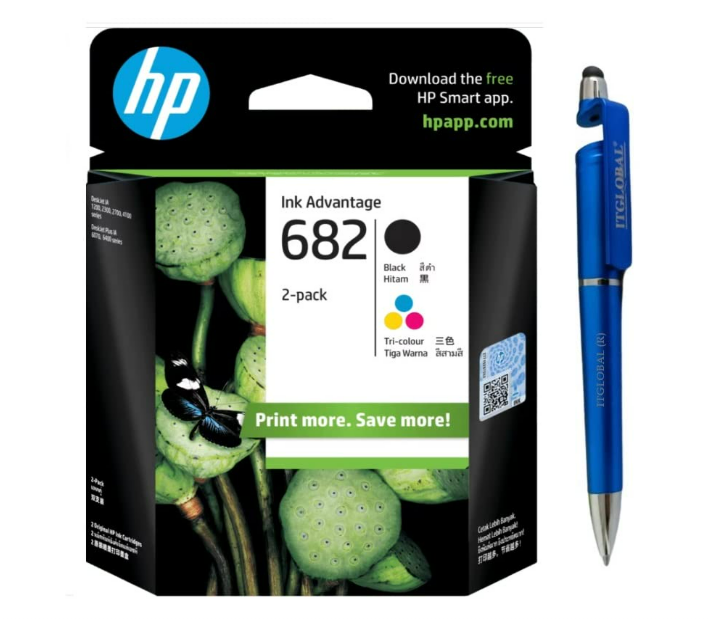
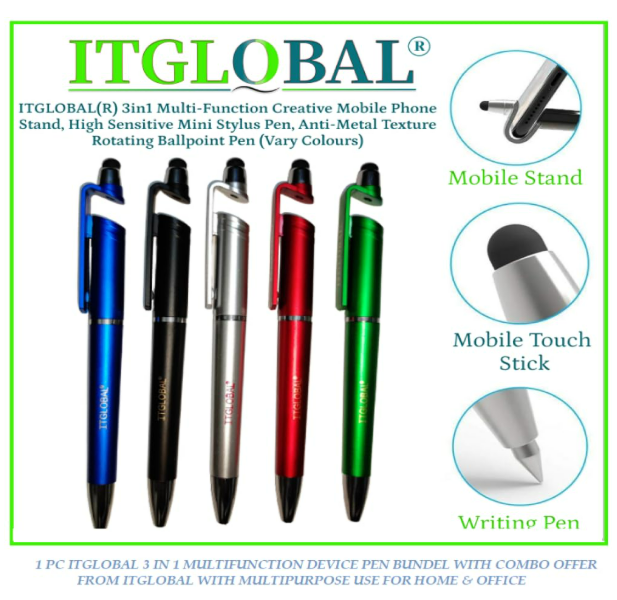
Upgrade your everyday printing and writing essentials with the HP 682 Black Original Ink Cartridge Combo Pack featuring a premium multi-function anti-metal ballpoint pen. Designed for HP Ink Advantage printers, the genuine HP ink cartridge delivers sharp, smudge-resistant prints with reliable performance, while the included smooth-writing pen offers comfort and convenience for office, school, or home use.
2. Key Features
- Genuine HP 682 Black Original Ink Cartridge
- Includes premium multi-function anti-metal ballpoint pen
- Produces crisp, clear, and smudge-resistant prints
- Reliable compatibility with HP Ink Advantage printers
- Smooth ink flow for effortless writing experience
- Ideal combo for office, school, and business use
- Easy cartridge installation and dependable performance
3. Highlights
- Value combo pack with printing and writing essentials
- Sharp black printing for professional documents
- Comfortable anti-metal ballpoint pen included
- Reliable HP original ink technology
- Perfect for daily office and study needs
4. Product Information
| Attribute | Details |
|---|---|
| Brand | HP |
| Model | HP 682 |
| Ink Color | Black |
| Product Type | Ink Cartridge + Pen Combo |
| Printing Technology | Inkjet |
| Compatibility | HP Ink Advantage Printers |
| Pen Type | Multi-Function Ballpoint Pen |
| Condition | New |
5. About this Item
The HP 682 Black Original Ink Cartridge Combo Pack is designed for users who need reliable printing performance along with a practical writing accessory. The original HP ink cartridge delivers professional-quality black prints, while the included anti-metal ballpoint pen ensures smooth and comfortable writing. This combo pack is ideal for home offices, students, and professionals looking for convenience and value.
6. Specifications
- Product Type: Ink Cartridge & Pen Combo Pack
- Brand: HP
- Model Number: 682
- Ink Color: Black
- Printing Technology: Inkjet
- Compatibility: HP Ink Advantage Series Printers
- Pen Type: Ballpoint Pen
- Installation Type: Easy snap-in cartridge installation
- Print Quality: Sharp black text and graphics
- Usage: Home, office, school, business
How to Use
Ink Cartridge Installation
- Turn on the HP printer.
- Open the cartridge access door.
- Remove the used cartridge carefully.
- Unpack the new HP 682 Black cartridge.
- Remove protective tape before inserting.
- Insert into the black cartridge slot.
- Close the printer cover and allow alignment.
- Print a test page to confirm installation.
Using the Ballpoint Pen
- Remove the cap or twist mechanism to expose the tip.
- Write smoothly on paper or documents.
- Store with cap closed after use for longer ink life.

Reviews
There are no reviews yet.